Aadhaar Update Online 2026 — Name, Address, DOB, Mobile & Free Window
Aadhaar Update 2026: Update name, address, DOB, mobile and photo online or at the centre. Free document re-upload till 14 June 2026. Step-by-step myAadhaar guide and fix for rejections.
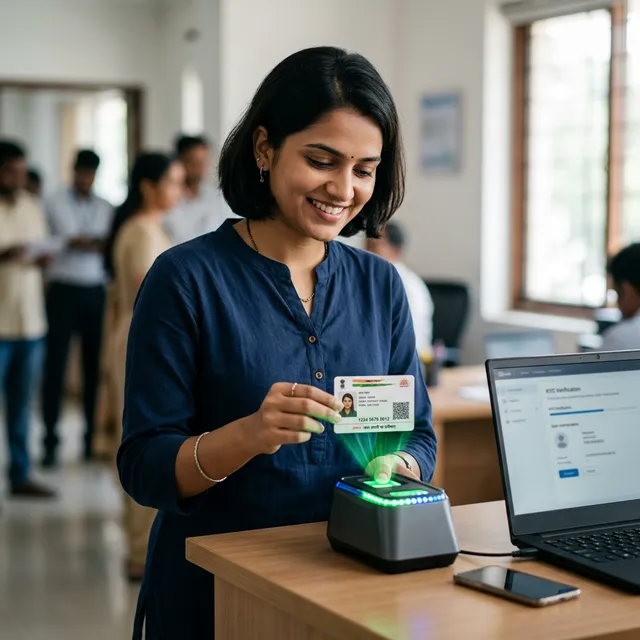
Table of Contents ▾
Quick summary. Aadhaar updates in 2026 happen on myAadhaar (myaadhaar.uidai.gov.in) for online changes and at any Aadhaar Seva Kendra (ASK) for biometric / photo / mobile updates. Free online document update window has been extended to 14 June 2026 — UIDAI is asking every Aadhaar holder whose card is older than 10 years to re-upload Proof of Identity + Proof of Address. Charges: ₹50 (demographic update at ASK), ₹100 (biometric update), ₹50 PVC card. Address-only update via OTP is free in the extension window.
The Unique Identification Authority of India (UIDAI) maintains the Aadhaar database for over 138 crore residents. Updates are needed when you change address, get married (name change), notice an error, or simply because UIDAI is asking everyone to refresh PoI/PoA periodically. Most updates take 5–7 working days if documents are clean; rejections add another cycle of 5–7 days.
The biggest practical change in 2025–26 is that mobile update still requires a physical visit to an Aadhaar centre — UIDAI does not allow it online or via OTP, since the mobile is the trust anchor for every other update. Plan one visit to the ASK if your registered mobile is wrong or has been lost.
At a glance
| Update type | Online (myAadhaar) | At Aadhaar Seva Kendra | Fee |
|---|---|---|---|
| Address (with OTP to existing mobile) | ✅ | ✅ | Free during 14 Jun 2026 window; otherwise ₹50 |
| Name (minor correction / spelling) | ✅ | ✅ | ₹50 |
| Date of birth | ❌ (only at centre) | ✅ | ₹50 (allowed once in lifetime) |
| Gender | ❌ | ✅ | ₹50 (once in lifetime) |
| Mobile number | ❌ | ✅ | ₹50 |
| Photograph | ❌ | ✅ | ₹100 |
| Biometric (fingerprint/iris) | ❌ | ✅ | ₹100 |
| Mandatory child biometric (5-yr / 15-yr) | ❌ | ✅ | Free |
| PVC card order | ✅ | ✅ | ₹50 |
When are you required to update?
Educational Qualification
Not applicable
Age Limit (As on Date of update)
0 to 120 Years
Other Requirements
- Nationality: Indian resident
- Aadhaar issued more than 10 years ago — UIDAI strongly recommends a Document Update (free till 14 Jun 2026)
- Mandatory biometric update for children — at age 5 (Bal Aadhaar → regular) and again at age 15
- Address change — required within 90 days of moving to a new permanent residence
- Name / DOB / gender error — request correction so KYC at banks, PAN, Income Tax aligns
- Lost or unrecognised registered mobile — visit ASK to replace before any other online update is possible
Documents required
While filling online form
- Proof of Identity (PoI) — passport, voter ID, PAN, driving licence, ration card with photo, etc. (one)
- Proof of Address (PoA) — utility bill (≤ 3 months), passport, bank statement, rent agreement with notarised copy, etc. (one)
- Date-of-birth proof (only for DOB update) — birth certificate, school leaving, passport — DOB update is allowed only once in a lifetime
- Marriage certificate (for name change after marriage) — issued by Registrar of Marriages
- Self-declaration if living with relative — Form-of-relationship document required
UIDAI has a strict list of acceptable PoI / PoA — see the full list at uidai.gov.in/list-of-supporting-documents.
How to update online (myAadhaar)
Address update via OTP
- Open myaadhaar.uidai.gov.in → Login with Aadhaar number + OTP to registered mobile.
- Click Update Aadhaar Online → Proceed to update Aadhaar.
- Choose Address → enter the new address exactly as it appears on your PoA.
- Upload the PoA scan (PDF/JPG, ≤ 2 MB) — must be coloured, all four corners visible.
- Pay ₹50 (waived in the free-update window).
- Note the URN (Update Request Number) — track at Check Update Status.
- Approval typically in 5–7 working days. Updated e-Aadhaar is available for download immediately after approval.
Document Update (PoI + PoA refresh) — free till 14 Jun 2026
- Login as above → Document Update → upload one PoI + one PoA → submit.
- No demographic change is required — UIDAI just needs a fresh copy on file.
- Refreshed Aadhaar is downloadable in 7 days.
⏰ Last Date: Free Document Update window: 14 June 2026
Update on myAadhaarClicking this button will take you to the official government portal.
How to update at an Aadhaar Seva Kendra
For mobile / DOB / gender / photo / biometric updates:
- Book an appointment at bhuvan-aadhaar.nrsc.gov.in or directly walk into any UIDAI Aadhaar Seva Kendra (ASK) — bank-operated centres also work but with longer queues.
- Fill the Aadhaar Update / Correction Form at the centre.
- Operator captures biometric (fingerprint + iris + photograph) for verification.
- Pay the fee (₹50 / ₹100 — see table). Receive an acknowledgement slip with URN.
- Track URN at resident.uidai.gov.in/check-aadhaar.
Common rejection reasons & fixes
| Reason | Fix |
|---|---|
| Document image cropped / blurry | Re-scan in 200 dpi colour; ensure all 4 corners visible — re-submit URN |
| Name on document doesn’t match Aadhaar exactly | Use a document where the name matches (or update name first then address) |
| PoA older than 3 months | Use a fresher document (utility bill / bank statement of last 90 days) |
| DOB update second time | Not allowed — DOB can be updated only once. Visit Regional Office with court affidavit if essential |
| Mobile-OTP not received | Mobile may not be registered — visit ASK with PoI + new mobile number |
Frequently asked questions
1. Is the Aadhaar Document Update free in 2026?
2. Can I change my mobile number online?
3. How many times can I update my date of birth?
4. How long does it take to update Aadhaar?
5. Will my Aadhaar number change after update?
6. How do I get a PVC card?
7. What if my registered mobile is lost?
8. Is Document Update mandatory?
Latest updates
UIDAI extended the free online Document Update window again on 14 December 2025 — now valid until 14 June 2026. From January 2026, the Aadhaar FaceRD app supports OTP-less authentication for mAadhaar download and PMJJBY claim. The 2026 budget set aside ₹2,500 crore for the Aadhaar 2.0 modernisation programme — including AI-based duplicate detection and faster Aadhaar centre rollout.
Official links
Disclaimer. SarkariBaba is an independent information publisher. Aadhaar fees and free-update windows are revised periodically by UIDAI — verify the current rate on uidai.gov.in before paying.